Avatar Color Palette Ideas: Pastel, Cyberpunk, Retro & Monochrome Hair, Skin, Background Combos
Open the free square face generator and follow along.
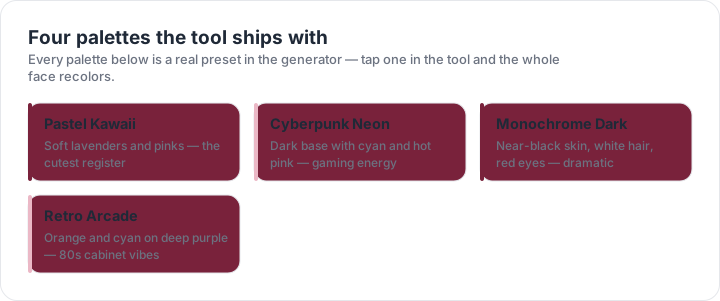
The palettes, color by color
| Palette | Skin | Hair | Eyes | Background |
|---|---|---|---|---|
| Pastel Kawaii | #fdebd3 | #e6e6fa | #98ff98 | #fff0f5 |
| Cyberpunk Neon | #2b2b2b | #00e5ff | #00f5ff | #0d0d1a |
| Monochrome Dark | #1a1a1a | #ffffff | #ff3333 | #121212 |
| Retro Arcade | #f5d5b8 | #ffa500 | #33fff6 | #1b003a |
Pastel Avatar Palettes
Start with a pastel base: skin #FFE0E9, blush #FFC2D1, hair #C9B6FF, background #E6F7FF, and accent #FFD6A5. Limit the avatar to 5 colors so the 1:1 square stays readable at 64x64. For a 512x512 PFP, use a 4.5:1 contrast ratio between eyes and skin, then add a 2px outline in #4A4A68. Step 1: pick background first. Step 2: choose two hair tones, light #D8CCFF and shadow #A78BFA. Step 3: keep skin values above 80% brightness. Step 4: export PNG at 512x512 and 128x128. This palette suits soft, friendly avatars; avoid pure black, which hardens the mood. Add sparkle accents at #FFFFFF with 30% opacity. For darker skin, shift base to #C68642 and blush to #E5989B while keeping hair pastel.
Cyberpunk Avatar Palettes
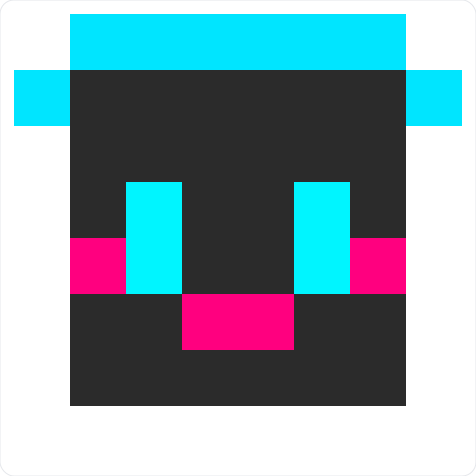
Cyberpunk palettes need dark bases and 2–3 neon hits. Try background #0B1026, hair #00F5FF, skin #FF3CAC, shadow #7A00FF, and accent #F9F871. Keep the square 1:1; at 1024x1024, add an 8px glow blur around hair and eyes, then reduce opacity to 60%. Step 1: fill background with #0B1026. Step 2: paint hair cyan, then duplicate and offset by 3px for chromatic edge. Step 3: use magenta skin only on cheeks, ears, and neck. Step 4: add grid lines #1B2A4A every 32px. Avoid more than 3 bright hues or the PFP becomes muddy at 48x48. Final export: PNG 1024x1024 and 256x256. Test on dark mode. Use #FF00FF only for 1px eye pixels; it reads as a strong focal point at small sizes.
Retro Avatar Palettes
Retro palettes work best with 4–6 colors. For an 80s look, use background #2B2D42, hair #F4A261, skin #FFD6A5, shirt #E76F51, and highlight #8AB17D. For Game Boy style, stick to #0F380F, #306230, #8BAC0F, and #9BBC0F. At 256x256, use 1px outlines in #1A1A1A and no anti-aliasing. Step 1: choose a 4-color ramp. Step 2: assign darkest to outlines, midtones to skin, lightest to background. Step 3: add a 2px cheek blush using #E76F51 at 70% opacity. Step 4: export PNG at 256x256 and 64x64. Keep saturation under 80% for skin; save high saturation for hair or background. For 16-bit style, add a 1px top highlight #FFF3B0 on hair and a 1px bottom shadow #6A4C93. Keep background patterns limited to stars or grids.
Monochrome Avatar Palettes
Monochrome palettes use 3–5 grays for a clean PFP. Try skin #D9D9D9, hair #1A1A1A, background #F2F2F2, accent #8C8C8C, and outline #0D0D0D. For inverted noir, swap to skin #2B2B2B, hair #E6E6E6, background #111111, accent #A3A3A3. At 512x512, use a 2px #0D0D0D outline and keep 5:1 contrast between hair and background. Step 1: pick one light, one mid, one dark. Step 2: apply dark to outlines and hair shadows. Step 3: use mid gray for skin shading, not flat fill. Step 4: add a 4px background grid at #FFFFFF with 8% opacity. Export PNG at 512x512, 256x256, and 64x64. This suits minimalist and accessibility-focused avatars. For high contrast, make hair #000000 and skin #E0E0E0; for soft mono, use #F5F5F5 and #666666.
Hair, Skin, Background Combos
Combine palettes by locking hair, skin, and background first. Pastel: skin #FFE8D6, hair #B8A9FF, background #D8F3DC. Cyberpunk: skin #F72585, hair #4CC9F0, background #10002B. Retro: skin #FFD6A5, hair #2A9D8F, background #F4F1DE. Monochrome: skin #BFBFBF, hair #262626, background #FAFAFA. Step 1: choose one palette row. Step 2: set canvas 1024x1024 for PFP, 512x512 for profile, 64x64 for favicon. Step 3: keep 5 colors total, including outline #1A1A1A. Step 4: test at 64px; if eyes disappear, increase contrast by 20%. Export transparent PNG for backgrounds or flattened JPG for upload. Save your hex codes as a preset in the square face generator. If two colors clash, replace one with #FFFFFF or #000000, then recheck at 32px. Name presets by style, such as Pastel_Mint, Cyber_Neon, Retro_GameBoy, Mono_Noir.