Picrew Alternative: Instant No-Signup Square Face Avatar Maker
Open the free square face generator and follow along.
How the two tools compare
| Picrew | Square Face Generator | |
|---|---|---|
| Account | Account recommended to save | None — open and make |
| Maker choice | Thousands of fan-made makers | One focused pixel-face engine |
| Watermarks | Some makers stamp them | Never |
| Export | Per-maker sizes | 128 / 256 / 512 px PNG |
| Privacy | Accounts and servers involved | Runs in your browser, nothing uploaded |
Speed Test: 20 Seconds vs. 5-Minute Picrew-Style Builds
The square face generator loads in under 2 seconds and shows a 1:1 canvas immediately. There is no email, username, password, or avatar-base modal. Picrew-style character creators often stack 6+ menus—skin, eyes, brows, mouth, hair, clothes, background—with 100–300 parts, so a coherent character can take 4–8 minutes. For a quick PFP, choose Classic Flash, click Randomize 3 times, then adjust eyes, mouth, and hair. A measured flow: 0:00 open page, 0:02 pick style, 0:08 customize, 0:18 export 1024x1024 PNG. That is roughly 15x faster than a 5-minute build. Making 12 avatars saves 45+ minutes and avoids signup friction.
Export Sizes: 128px to 2048px Square PNGs
The generator exports true 1:1 files at 128x128, 256x256, 512x512, 1024x1024, and 2048x2048. Use 128x128 for Discord’s small avatar slot, 256x256 for forums, 512x512 for Steam or Telegram, 1024x1024 for X/Twitter and Instagram, and 2048x2048 for YouTube or print. Picrew-style exports are often 400x400 or 600x600, which need upscaling for some platforms. Pixel-art mode stays crisp at 32x32, 64x64, and 128x128 with nearest-neighbor scaling, so no blurry edges. Classic Flash mode renders anti-aliased 512–2048px PNGs. Choose transparent background or solid #FFFFFF, #000000, or pastel. A 1024x1024 PNG is usually 80–250KB; 2048x2048 stays under 600KB. No watermark, no forced crop, and one-click download.
Privacy: No Signup, No Upload, Local Rendering
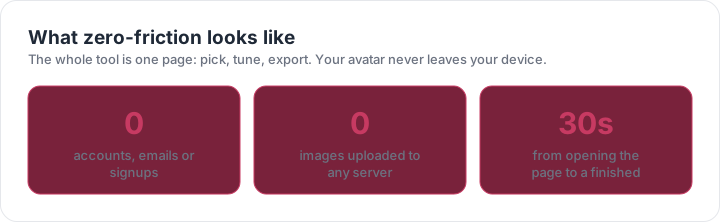
No account is required: no email, no Google login, no username, no avatar gallery. The square face generator renders your choices locally in the browser using Canvas/WebGL, so the image is not uploaded to a server. Picrew-style platforms may store account profiles, favorites, comments, and creation history; useful for community, but extra data. Here, you can choose eyes, hair, and colors privately, then download a PNG with EXIF metadata stripped. If you use a shared computer, closing the tab clears the session. You do not need to grant camera, contacts, or file permissions. For sensitive use, load the page, switch to airplane mode, customize, and export—the client-side canvas still works. No public profile, no follower count, no comment trail.
Classic Flash vs. Modern Pixel-Art: Style Specifics
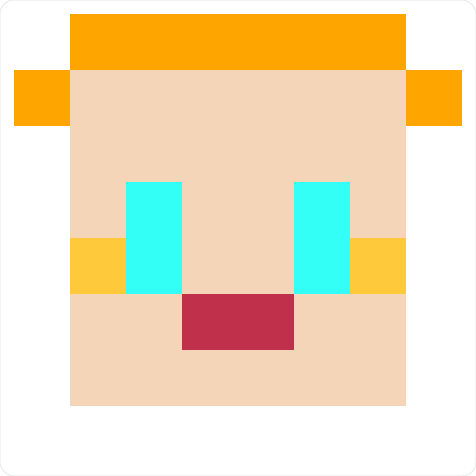
Two styles cover different PFP needs. Classic Flash mode mimics 2000s vector avatars: 3px black outlines, glossy gradients, rounded 200x200 base faces, 8 skin tones, 12 hairstyles, 20 eye sets, 16 mouths, and 14 hats/accessories. Modern pixel-art mode uses a 32x32 grid, 1px hard edges, a 16-color palette, 6 face shapes, 10 pixel hairstyles, and 12 accessories. Picrew-style character creators often lean anime with 100+ layered parts; that is great for full-body scenes but slower for a square crop. The square face generator keeps the head centered for 1:1 output. Choose Flash for retro forum vibes, pixel-art for indie games, Discord, or minimal branding. You can export both at 1024x1024 and compare in under 30 seconds.
Step-by-Step: Make and Download a Square PFP in 60 Seconds
1) Open the square face generator—no signup. 2) Pick Classic Flash or Modern Pixel-Art. 3) Select a base face: 4 face shapes and 8 skin tones. 4) Click Randomize 3 times or manually set eyes, brows, mouth, hair, and accessory. 5) Choose export size: 512x512 for Discord/Telegram, 1024x1024 for X/Instagram, 2048x2048 for YouTube. 6) Pick transparent or solid background. 7) Click Download PNG. Total: 7 clicks, 45–60 seconds. For a matching set, reuse the same palette and face shape, then change hair and accessory. This is the practical Picrew alternative when you need speed, square export sizes, and no-signup privacy. Works on Chrome, Safari, Edge, Firefox, and mobile browsers.