TikTok Profile Picture Guide: Size Specs, Circular Crop, and Tiny-Size Style
Open the free square face generator and follow along.
TikTok avatar surfaces
| Surface | Shows at | Design note |
|---|---|---|
| Feed ring | About 48 px | One strong color reads best |
| Profile page | Larger, still circular | Details can breathe a little here |
| Comments | Tiny, everywhere | Avoid thin hair strands and pale skin tones |
| Live streams | Small, moving | Contrast with your background, not just the ring |
TikTok Profile Picture Size Specs and Upload Steps
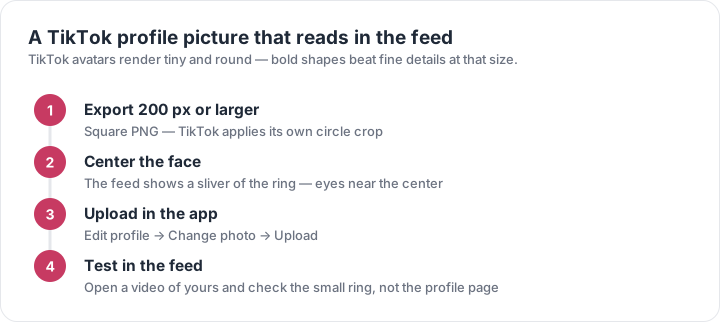
Upload a square 1:1 image at 1080 x 1080 px for TikTok profile pictures. TikTok displays the avatar in a small circle, so a 200 x 200 px minimum may look soft on high-density screens; 1080 x 1080 gives you room to test. Use JPG or PNG, keep the file under 10 MB, and avoid animated GIFs. Steps: open TikTok, tap Profile, Edit profile, tap Change photo, choose your square image, pinch to center the face, then Save. For pixel-art avatars, export PNG at 1080 x 1080 with nearest-neighbor scaling. A free square face generator can create a centered classic Flash or modern pixel-art PFP in seconds, then you upload the same square file to TikTok.
How a Square Avatar Displays in TikTok’s Circular Crop
TikTok masks your square image into a circle, so the four corners disappear. In a 1080 x 1080 px upload, the visible circle is about 1080 px across, but UI padding can hide another 5-10%. Keep the face, hair, and key details inside a central 860 x 860 px safe zone. Translate that to percentages: leave 10-15% empty margin on all sides. Eyes should sit near the horizontal center, roughly 40-45% from the top. Do not place text, logos, or props in corners—they will be cut. In the square face generator, enable the circular crop preview before export. Test by shrinking your avatar to 48 x 48 px; if the expression still reads, the circular crop will work on TikTok.
Style Tips That Read at Tiny Sizes (48 px and Up)
TikTok profile pictures often appear at 40-48 px in comments, feeds, and search. At that size, thin lines vanish, so design for silhouette first. Use 2-4 high-contrast colors, thick outlines, and a simple background. In a 1080 x 1080 px export, a line that is 12 px wide becomes roughly 0.5 px at 48 px; to stay visible, original strokes should be 40-90 px. For modern pixel-art, start on a 32 x 32 or 64 x 64 grid, then upscale by integer factors to 1024 x 1024 or 1080 x 1080. For classic Flash style, use bold vector shapes, one clear highlight, and no small gradients. A square face generator lets you compare both styles side by side and preview the 48 px result.
Classic Flash vs Modern Pixel-Art PFP Styles
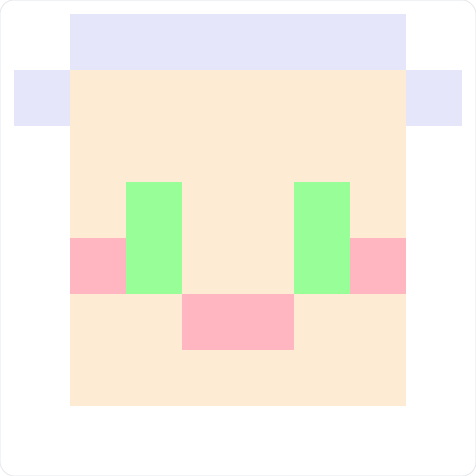
Classic Flash avatars use smooth vector curves, glossy highlights, and thick dark outlines, similar to early 2000s profile makers. They work well for friendly, cartoon faces with 3-5 colors. Modern pixel-art avatars use a fixed grid: 16 x 16 for ultra-minimal, 32 x 32 for detailed faces, 64 x 64 for shading and accessories. Keep the palette to 6-8 colors, use dithering sparingly, and scale with nearest-neighbor to avoid blur. In a square face generator, choose the Flash preset for gradient hair and rounded eyes, or the pixel preset for blocky hair, 1-pixel highlights, and retro shadows. Export at 1080 x 1080 px, keep the face inside the 860 px circular safe zone, and check the thumbnail at 48 px before uploading to TikTok.
TikTok Profile Picture Upload Checklist and Optimization
Before uploading, confirm these numbers: 1080 x 1080 px, 1:1 square, JPG or PNG, under 10 MB, sRGB color, and face centered within 860 x 860 px. If the avatar is pixel art, use PNG to avoid JPEG artifacts around sharp edges. If it is classic Flash style, export a clean PNG with a solid background—TikTok may show black or white behind transparent areas. Steps: generate or edit your square face, preview the circular crop, download, open TikTok, go to Profile > Edit profile > Change photo, upload, then zoom out until the full head fits. Finally, view your profile at 100% and 50% zoom. If details disappear, increase contrast or remove 1-2 colors. The free square face generator makes these test variants quickly.